Autonomous AI Database (Serverless)
There is currently no content for this page. The Oracle AI Database@Google Cloud team intends to add content here, and this placeholder text is provided until that text is added.
The Oracle AI Database@Google Cloud team is excited about future new features, enhancements, and fixes to this product and this accompanying documentation. We strongly recommend you watch this page for those updates.
Disaster Recovery
This topic explains how to create a cross-region disaster recovery peer to protect your Autonomous AI Database instance from a complete region failure with a standby database or a backup copy in a different region than the primary database.
Complete the following steps to create a cross-region disaster recovery peer.- From the Google Cloud console, select Oracle AI Database@Google Cloud.
- From the left-menu, select Autonomous AI Database Service and then Autonomous AI Database.
- Select your Autonomous AI Database that you want to create disaster recovery peer.
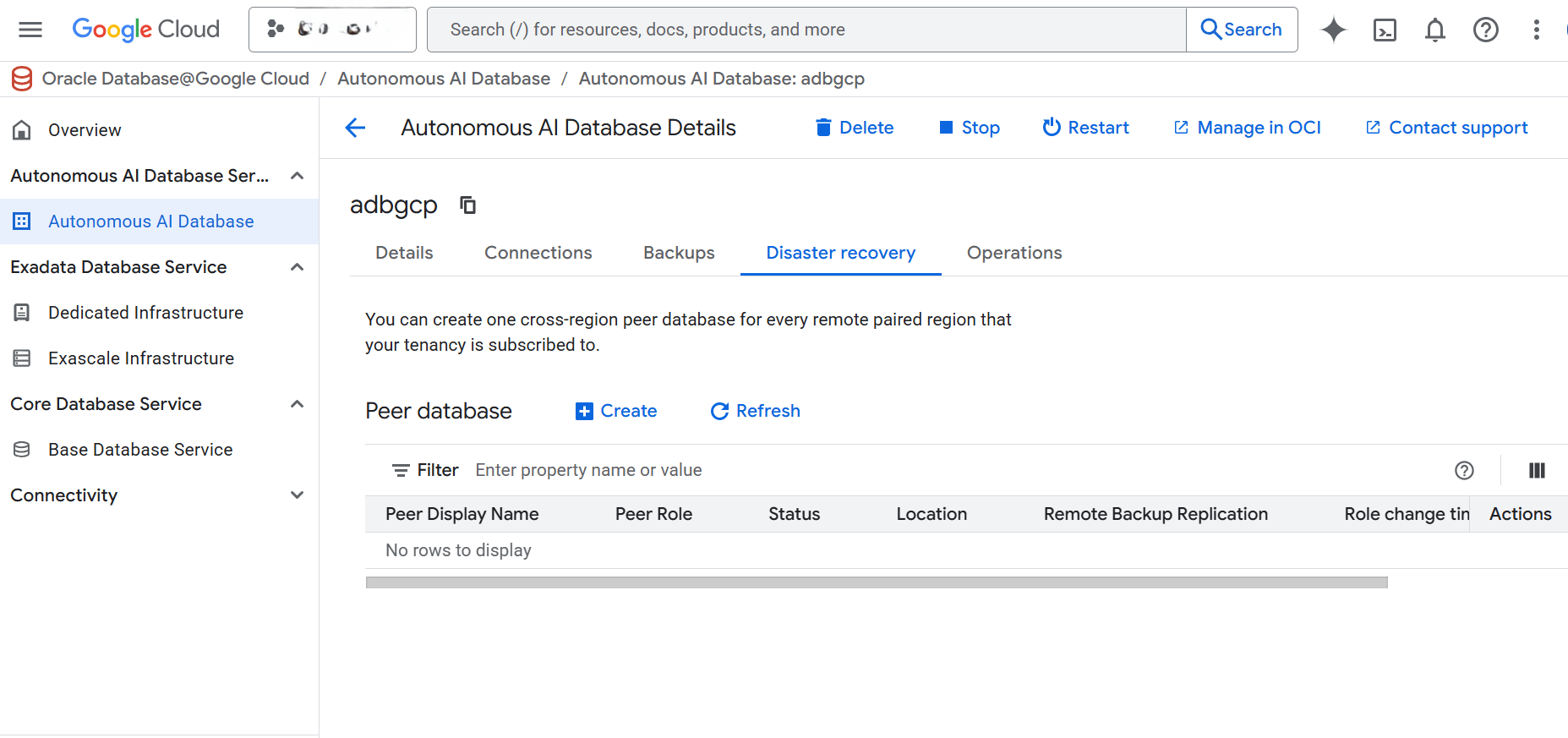
- Select the Disaster recovery tab, and then select the + Create button. Adding disaster recovery creates a peer database and incurs an additional cost.
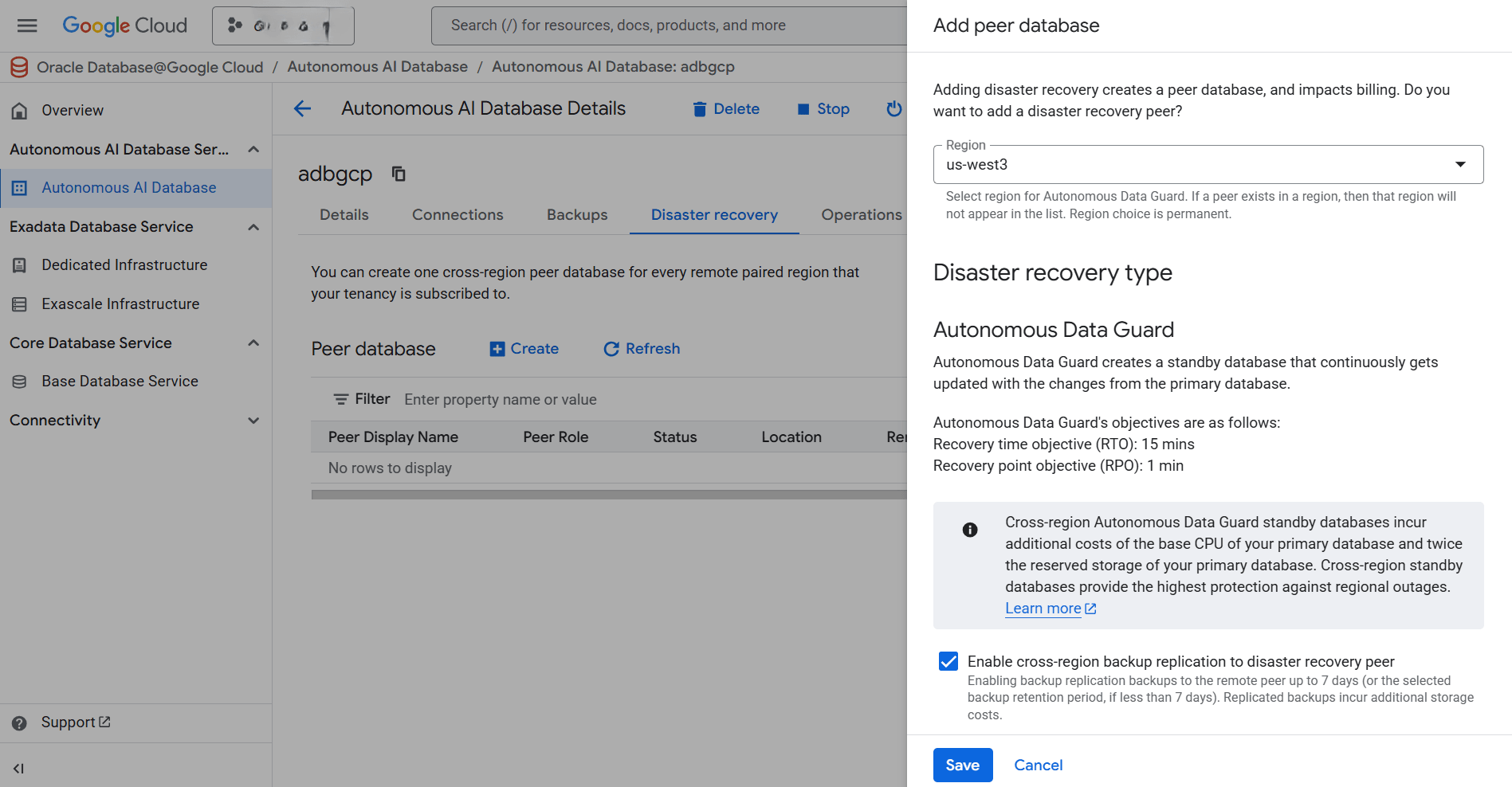
- From the Add peer database page, complete the following substeps:
- From the Region dropdown list, select region for Autonomous Data Guard.
Note
- You can create up to 1 local peer and 1 cross-region peer for every remote paired region that your tenancy subscribed to
- If there is already a paired region, then that Region will not displayed in the list.
- Some regions have a paired region to support cross-region disaster recovery. The pairing is bi-directional and it will allow you to create a cross-region peer in a different region. You can only create a cross-region disaster recovery in a paired region. For more information, see the following table below.
Table 1-1 Paired Regions
Regional Pair A Regional Pair B US East US West UK South Germany Central US East US Midwest (Des Moines)
- From the Disaster recovery type section, select the checkbox to Enable cross-region backup replication to disaster recovery peer.
Note
- For the disaster recover type, Autonomous Data Guard is a supported option.
- Cross-region Autonomous Data Guard standby databases incurs an additional cost.
- For Autonomous Data Guard, Recovery time objective is approximately
15 minsand Recovery point objective is approximately1 min. For more information, see Autonomous Data Guard Recovery Time Objective (RTO) and Recovery Point Objective (RPO) .
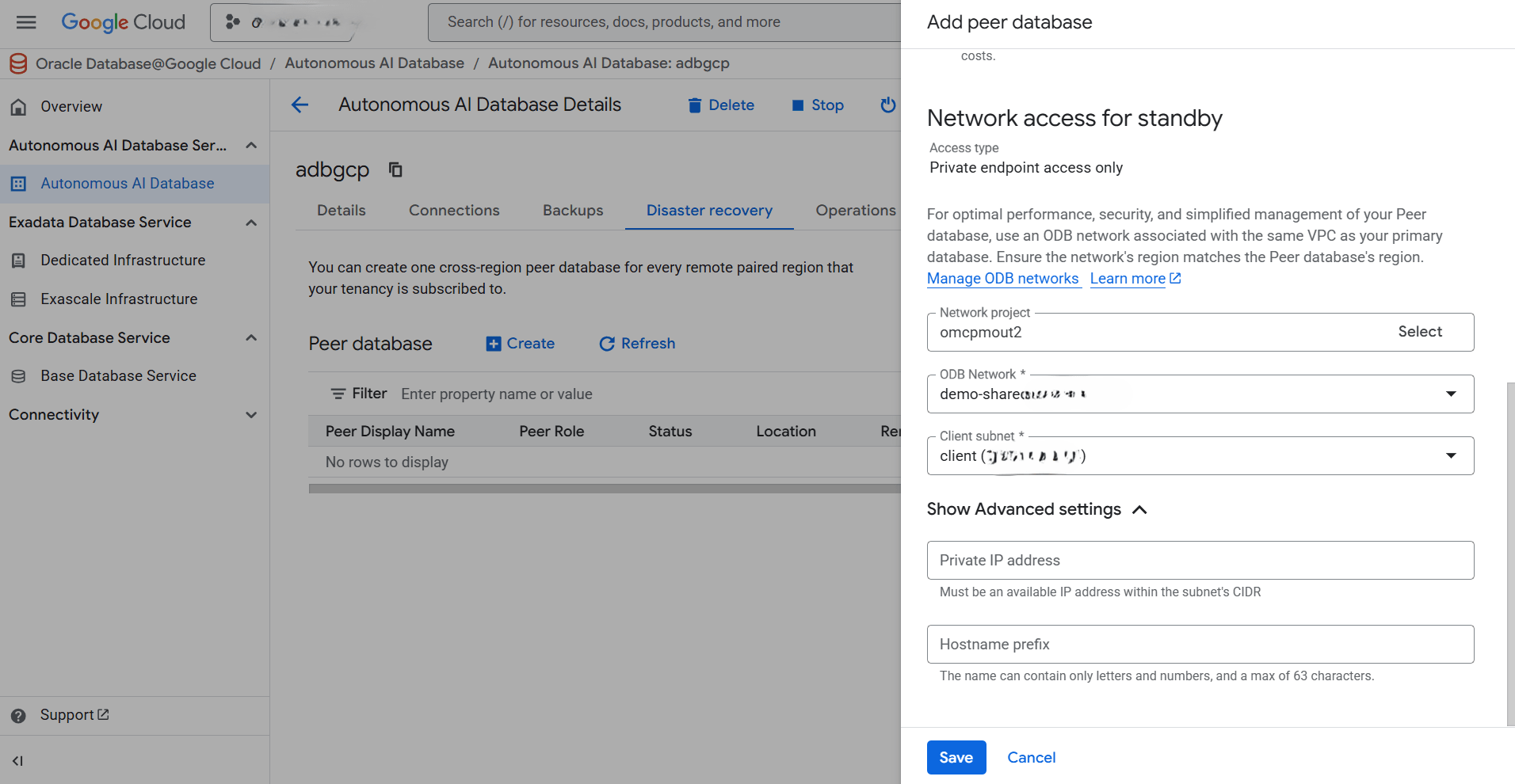
- From the Network access for standby section, select your Network project, ODB Network and Client subnet.
Note
You can modify and manage your network settings within the OCI console after creating a peer database. - Expand the Show Advanced settings section, enter an available IP address within the subnet's CIDR in the Private IP address field. Then, enter a name in the Hostname prefix field. The name can contain only letters and numbers, and a max of 63 characters.
- Review your information, and then select the Save button to create a peer database.
- From the Region dropdown list, select region for Autonomous Data Guard.
- Once the process completes successfully, the Status changes to Available.
- You can view the peer database in the resource list under the Disaster recovery tab.