Oracle Radio WebSocket API Workflows
Follow complete flows that combine stateful Radio WebSocket operations.
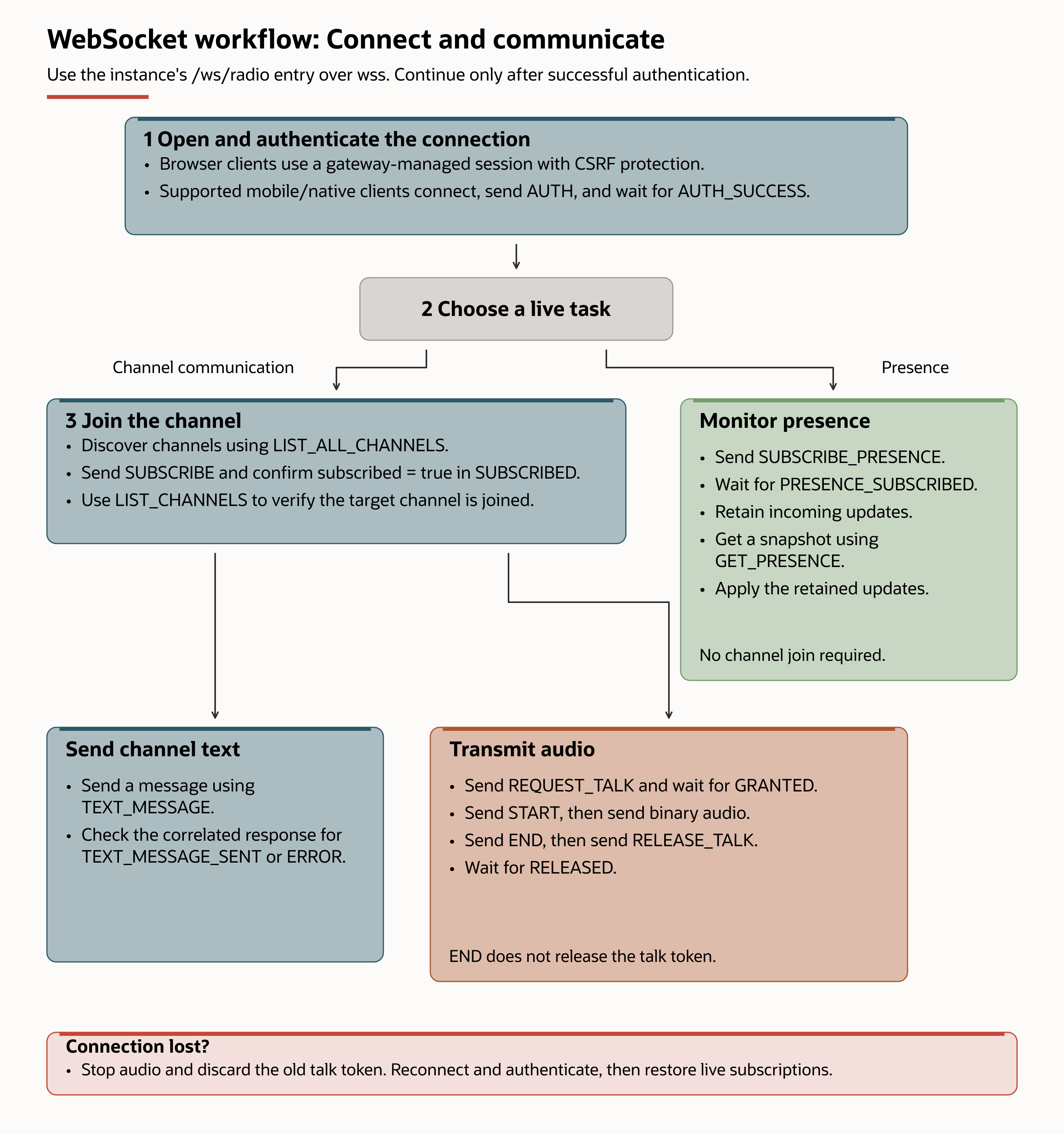
This diagram shows the main operation order. Follow the linked workflows below for required permissions, request fields, responses, and failure handling. Presence monitoring doesn't require joining a channel.
Use these workflows to complete a communication task, such as joining a channel, sending a message, or transmitting audio. Each workflow puts the required requests, responses, and events in order; it isn't a separate API operation or an application menu option.
Before starting:
- Complete the authentication steps for your client and verify the permissions listed in the selected workflow.
- If you need to retain a channel selection independently of the connection, first use the REST workflow. This step is for saved subscriptions, not a prerequisite for every WebSocket join.
- Open and authenticate the WebSocket connection, then follow the workflow for your task below. A saved REST subscription doesn't join this connection.
REST preparation and a live WebSocket task are successive steps, not interchangeable methods. See the API comparison.
- Session management explains how to establish, maintain, and recover a connection.
- Joining channels explains how to find, join, and verify a channel.
- Transmitting audio explains the talk-floor and audio-send sequence.
- Receiving audio explains how to process transmission events and server-framed binary audio.
- Sending messages explains normal and critical message delivery.
- Monitoring presence explains how to get a snapshot and process later presence updates.
- User subscriptions explains dispatcher-managed subscription changes.